Account and billing
BeachGrade Plus and billing
What BeachGrade Plus adds, $24.99 a year with a 1-week free trial or $3.99 a month, and how to subscribe, restore, cancel and get a refund.
Updated November 20, 2026
What Plus adds
| Free | BeachGrade Plus |
|---|---|
| The map, search and every reading | Everything free, plus: |
| Up to five saved beaches | Unlimited saved beaches |
| The planner's top five | The full planner list |
| Compare up to three side by side |
Prices and the free trial
- Yearly: 1 week free, then $24.99 a year (about $2.08 a month).
- Monthly: $3.99 a month, no trial.
The trial is Apple's: if you start the yearly plan and don't cancel at least 24 hours before the week ends, Apple charges $24.99 and the plan renews every year. Prices are in US dollars; Apple shows your local price before you confirm.
Subscribe
- Reach a Plus feature: save a sixth beach, tap Compare, tap See the full list, or open More → BeachGrade Plus.
- On the plans screen, pick Yearly or Monthly.
- Tap Start my free trial (yearly) or the button for monthly, and confirm on Apple's sheet with Face ID or your password.
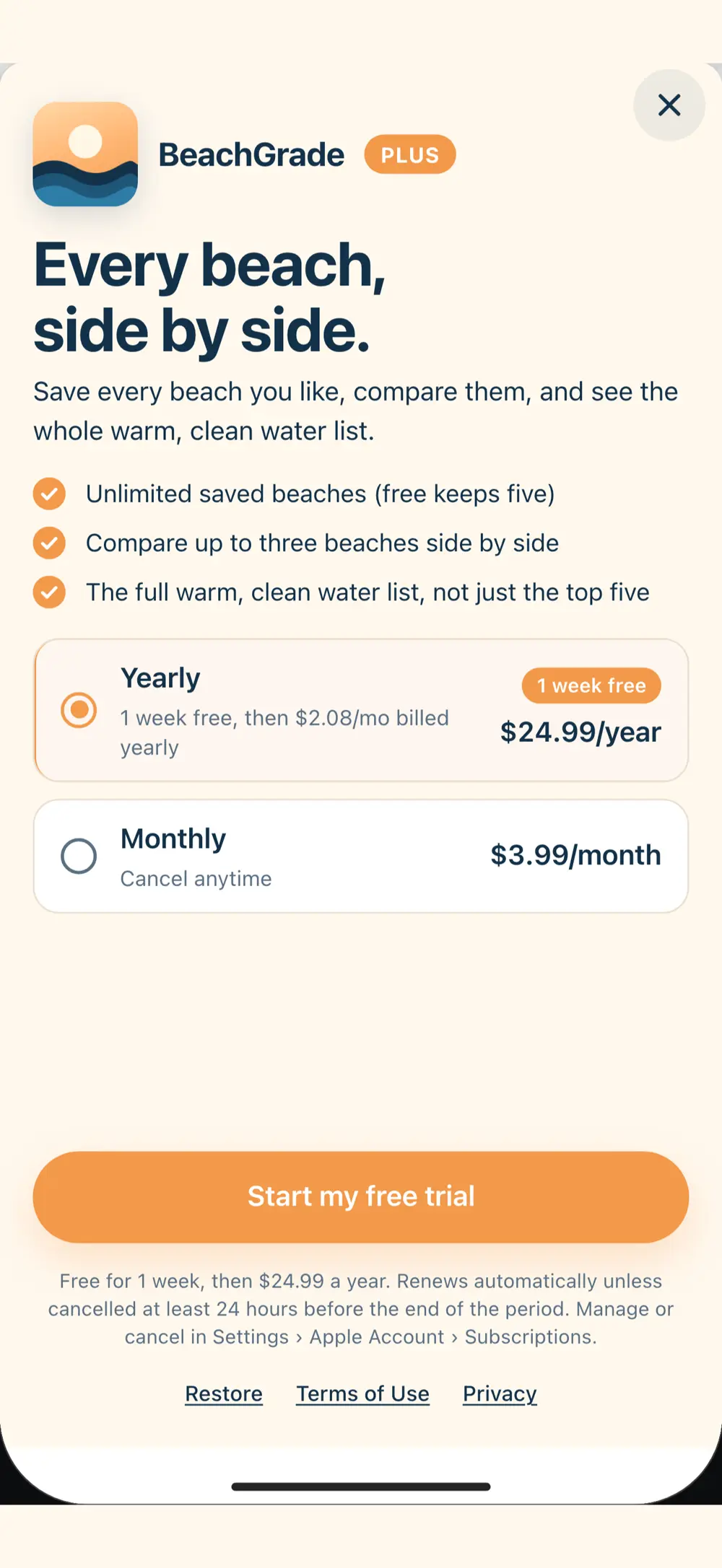
The plans screen is shown with Superwall; the purchase itself is Apple's in-app purchase. If the plans can't load (no connection), a BeachGrade Plus screen says Plus can't be bought right now: try again in a moment.
Restore on a new iPhone or after reinstalling
More → Restore purchases (or Restore on the plans screen), signed in to the App Store with the Apple Account that paid. Purchases restored means it worked; Nothing to restore means that Apple Account has no BeachGrade Plus.
Switch plans or cancel
On your iPhone open Settings → Apple Account (your name) → Subscriptions → BeachGrade. Pick the other plan, or tap Cancel Subscription at least 24 hours before it renews (or before the trial week ends). You keep Plus until the end of the period. Deleting the app doesn't cancel it.
Refunds
Apple handles every App Store payment, so we can't issue refunds. Request one at reportaproblem.apple.com with the Apple Account that paid: pick the BeachGrade charge and Request a refund.
No account
BeachGrade has no account, so there's nothing to sign in to, reset or delete. Plus belongs to your Apple Account. There's no data export: your saved beaches are a short list on your phone.